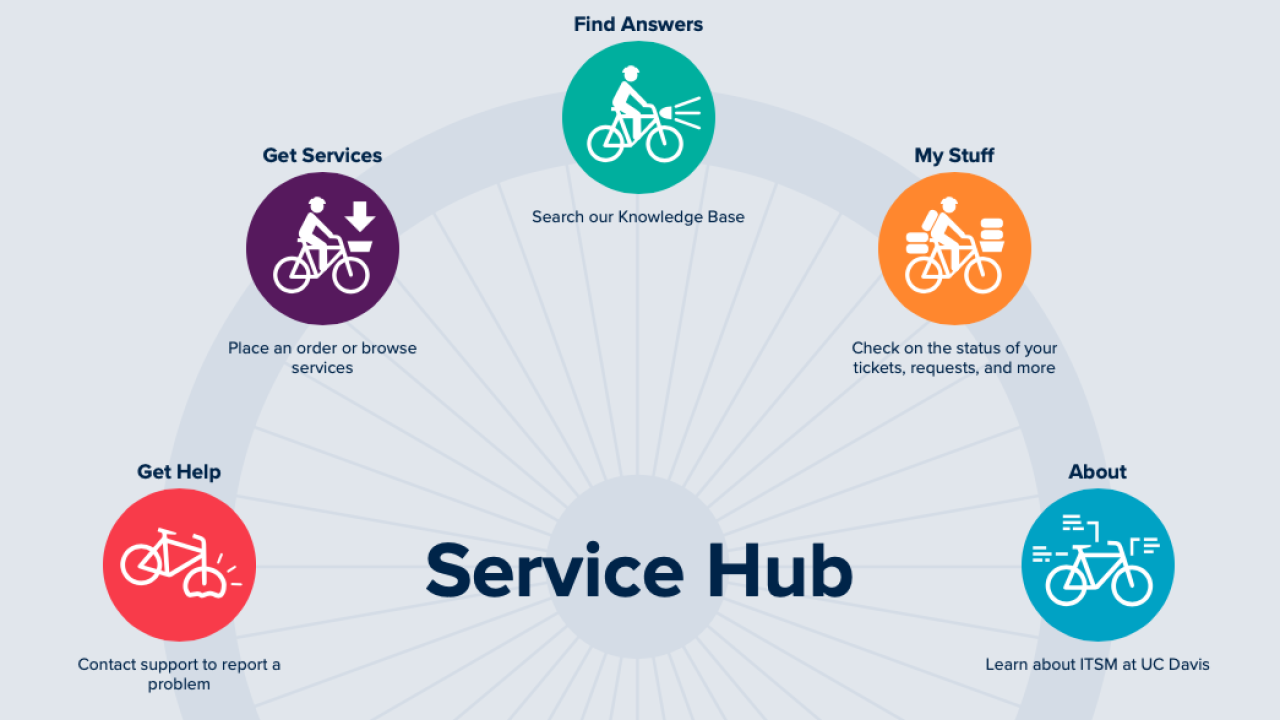

IET Support Services provides world-class service for Information and Educational Technology’s enterprise systems and services. Leveraging ever-changing technology, data, and knowledge, the Support Services team enhances the value of the customer experience in support of the UC Davis mission to teach, learn, and research.
If you need help, please click the box below that best fits your needs.




Get Started Using Campus Tech
Actions for Students
1. Stay informed with WarnMe alerts, aggiefeed, and UC Davis Mobile.
a. Sign up for WarnMe alerts (or review your information). UC Davis sends WarnMe and Aggie Alert messages by text, email, and the Everbridge Mobile App to provide faculty, staff, and students with timely information during emergencies and other urgent situations.
b. Aggiefeed, a campus-based Twitter-like service that aggregates information from across campus into a single stream of real-time posts, such as news and announcements, events, WarnMe university alerts, and announcements from the campus Learning Management System.
c. UC Davis Mobile allows you to do everything from checking aggiefeed to accessing your UC Davis email—all of UC Davis in one app.
2. Get your computer devices ready for the new academic year.
a. Set up eduroam on any new devices.
b. Check your Duo settings and manage your devices, especially if you are traveling.
c. Install updates for apps you often use (e.g., Zoom). Launch apps to ensure the latest versions are installed.
d. Log in to Microsoft 365, Google Workspace for Education, and if applicable, UC Davis Canvas to ensure you can easily access your courses and assignments.
3. Get the right computer & get access to free & discounted software.
a. Review recommended computer configurations. For additional information, see Computer Ownership Guidelines for Students. Consult your department about specific software or hardware requirements that differ from the recommended computer configurations. If you require a new computer or accessories, the UCD TechHub is available to assist with your purchase and delivery.
b. Free and discounted software options are available to students, including Microsoft Office, Adobe Creative Suite, and more. For Microsoft software, see How can I download Microsoft Office 365 and other Microsoft applications to my computer? All students are entitled to a fully licensed Zoom account. See the Zoom Guide for Students to get started.
Find additional resources in our Technology Guide for New Students in the Service Hub.
Actions for Faculty
1. Get (re)acquainted with instructional tech.
a. Use lecture capture to record your course content live in select classrooms or from your computing device.
b. Explore computer rooms across campus or the IET virtual lab for remote connections to computer labs.
c. For questions about technology in general assignment classrooms, contact the Classroom Hotline.
d. Learn more about creating an inclusive classroom.
e. Schedule a consultation with an instructional designer. To get started, email instructionaldesign@ucdavis.edu. For Canvas questions, email canvashelp@ucdavis.edu.
2. Stay informed with WarnMe alerts, aggiefeed, and UC Davis Mobile.
a. Sign up for WarnMe alerts (or review your information). UC Davis sends WarnMe and Aggie Alert messages by text, email and the Everbridge Mobile App to provide faculty, staff and students with timely information during emergencies and other urgent situations.
b. Aggiefeed, a campus-based Twitter-like service that aggregates information from across campus into a single stream of real-time posts, such as news and announcements, events, WarnMe university alerts, and announcements from the campus Learning Management System.
c. All of UC Davis, one app, in iOS or Android. UC Davis Mobile allows you to do everything from checking aggiefeed to accessing your UC Davis email.
3. Refresh your computing environment & get ready to present.
a. Install updates for apps you often use (e.g., Zoom). Launch apps to ensure the latest updates are installed.
b. Check your Duo settings and manage your devices, especially if you are traveling.
c. Log in to Microsoft 365, Google Workspace for Education, and if applicable, UC Davis Canvas to ensure you can easily access your files.
d. If applicable, make sure you have any adapters you may need to connect your computer to your classroom or meeting room audio/video systems.
Find additional resources in our Technology Guide for New Staff and Faculty in the Service Hub.
Frequently Asked Questions & Answers
Q. What is my passphrase?
A. Hearing or reading about Kerberos passphrases, login IDs, email addresses, and passwords can be confusing. Your campus passphrase is what you call your password. Click here to verify your account passphrase. If you forgot your passphrase, click here to change it.
Q. How do I activate Duo (multi-factor authentication) on my new phone?
A. Click here to learn how to set up Duo on your new smartphone.
Q. I was able to connect to Wi-Fi earlier, so why am I having trouble now?
A. Wi-Fi access is impacted by the number of people on the network. For instance, internet speeds may go down in a crowded conference room or lecture hall. UC Davis also sees heavy Wi-Fi usage during midterm and finals week. Using a wired connection is best in these scenarios. You can also try using the eduroam Configuration Assistant Tool (CAT) to optimize the closest connection to your device.
Q. Where can I find help with final grades?
A. Faculty: Final grade submission from Canvas.
Students: Please contact your professor with grading questions.
Q. How can I ensure a user's files are available after they depart from the university?
A. UC Davis offers a number of cloud storage and virtual collaboration tools. Click here to explore cloud storage options.
To ensure a successful off-boarding process, please reach out to your local IT contact.